Gallery auto scan
Auto-scan + automatic registration from gallery
Store links
 gimoticon
Automatically register gifticons from your gallery and manage balance, expiry, and shared usage together.
Auto-scan your gallery, organize gifticons in shared groups, and track usage and expiry in one flow.
Supports iOS and Android
Use the email and quick links below to ask questions, report issues, or request account and data support.
Support email
[email protected]Questions, account deletion, and data deletion requests are handled through [email protected].
Helpful links
Auto-scan + automatic registration from gallery
Shared group wallet with realtime sync
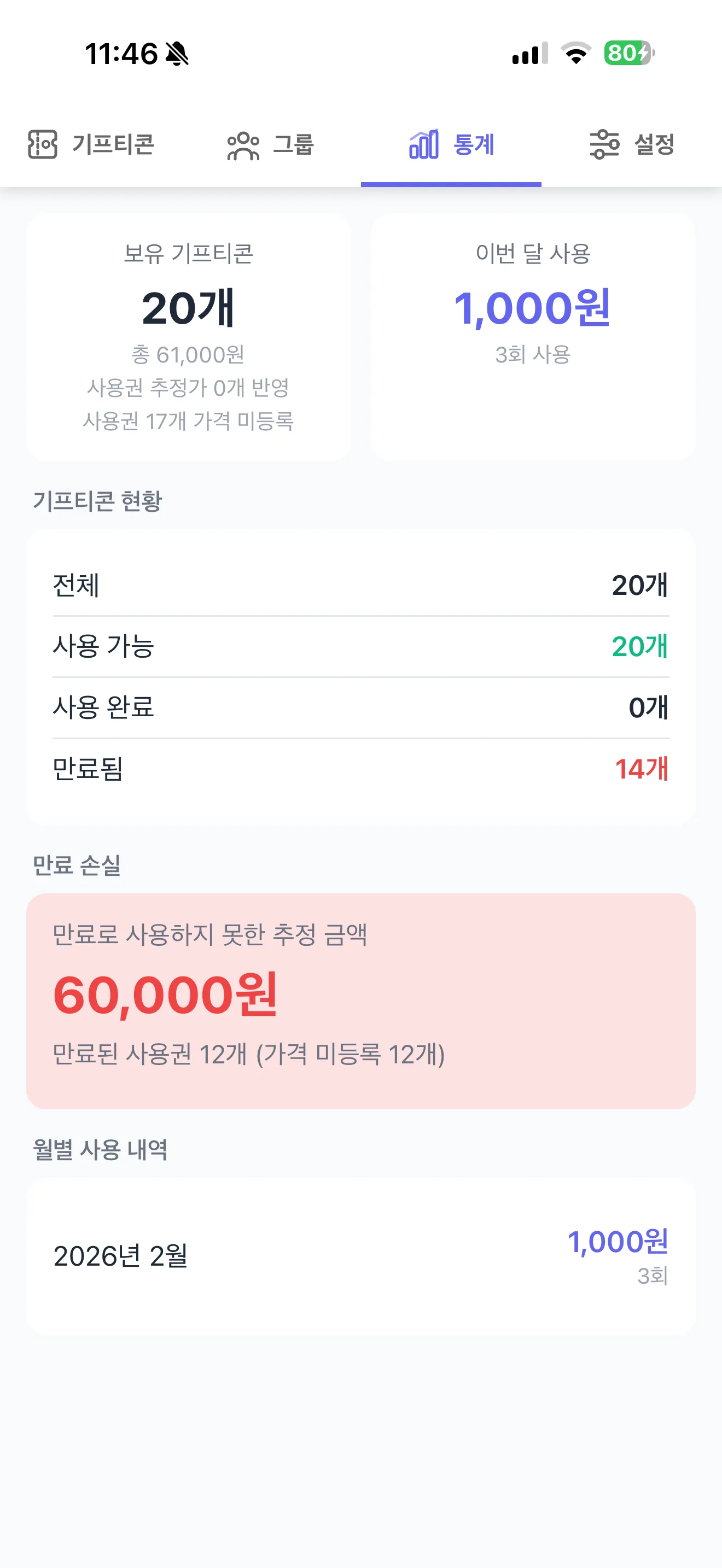
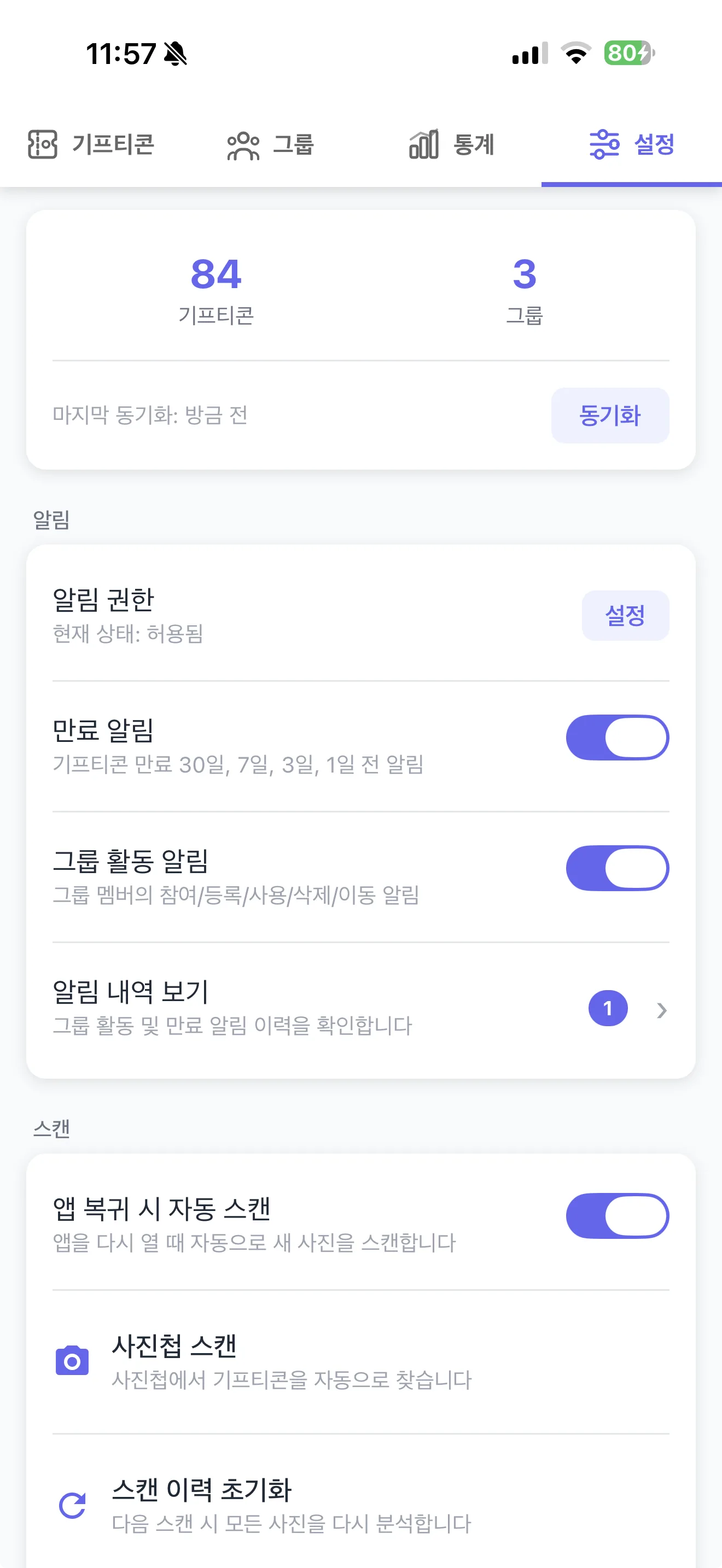
Expiry alerts, usage history, and balance tracking
Scan your gallery to add gifticons automatically
Organize and share them by group and status filters
Handle full or partial redemption with synced history
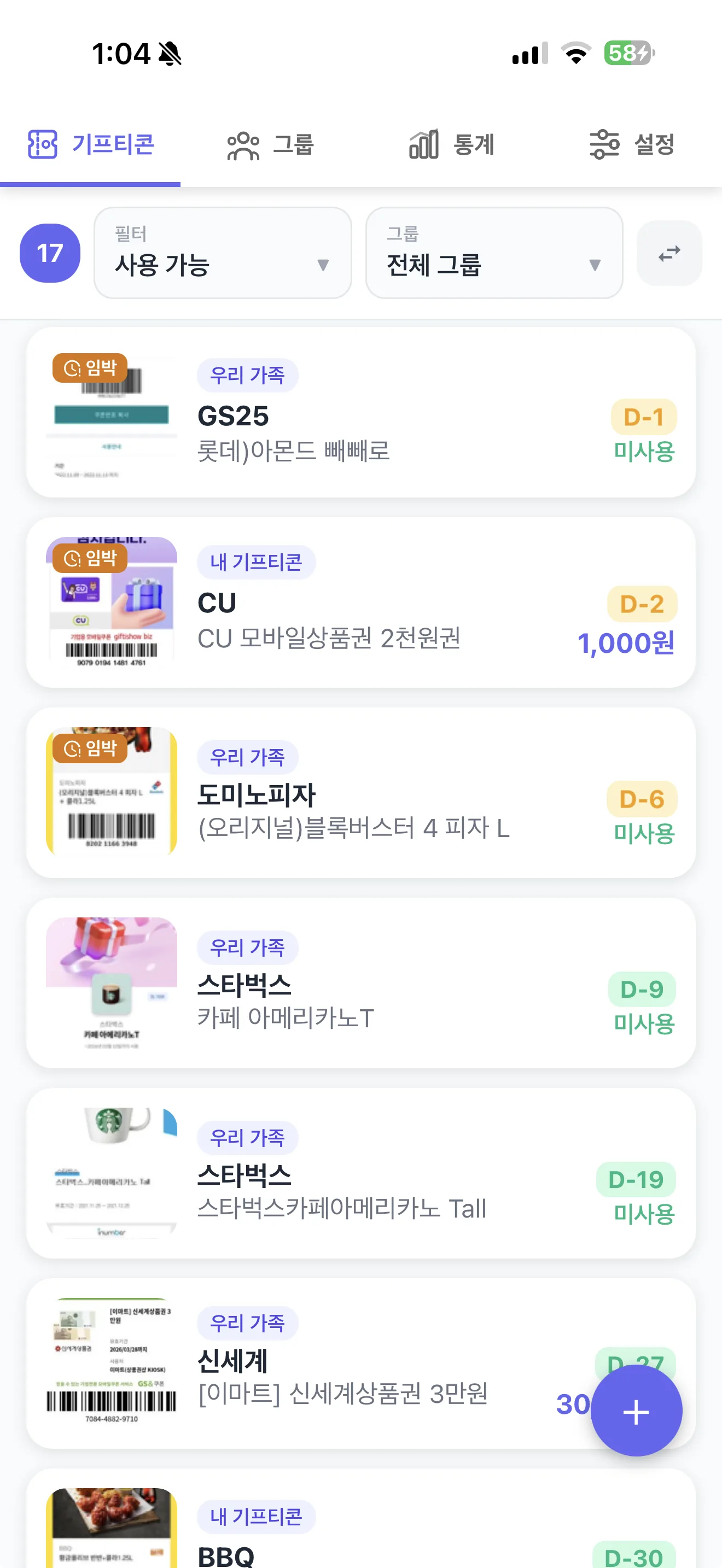
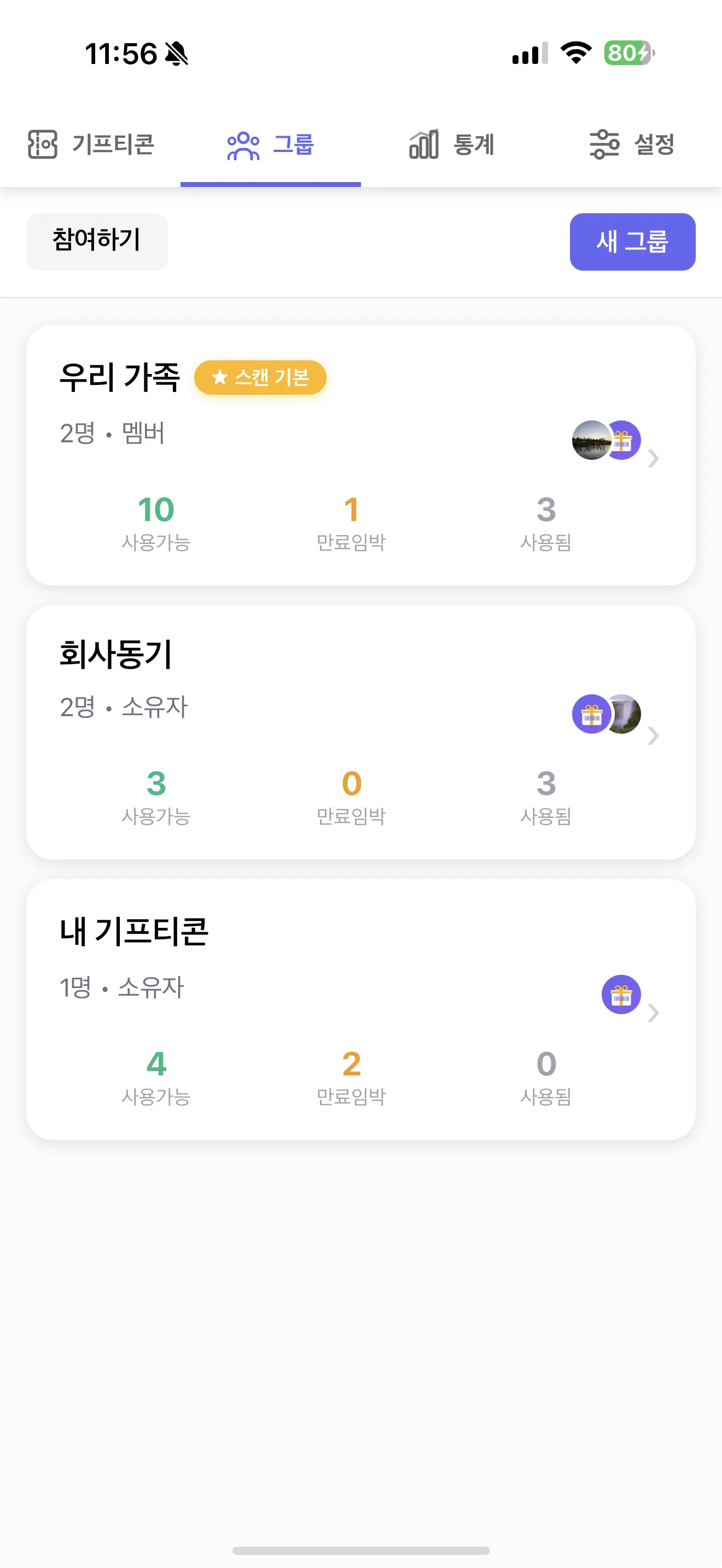
Family members see newly scanned gifticons together and keep usage status in sync.
Group sharingAmount-based coupons record partial usage and remaining balance to reduce duplicate use.
Partial redemptionThe stats screen shows monthly usage and expired loss so leftover coupons are easier to plan.
Stats overviewYou can scan your gallery to detect barcodes automatically or add entries manually.
It is a shared wallet where family and friends can track coupon usage together.
Reminder notifications are sent 30, 7, 3, and 1 days before expiry, plus the day it expires.
Both are available from the footer links and can also be opened inside the app.
Open the app from your store and set up scan, shared wallet, and expiry reminders in minutes.
Open Store